 Login AI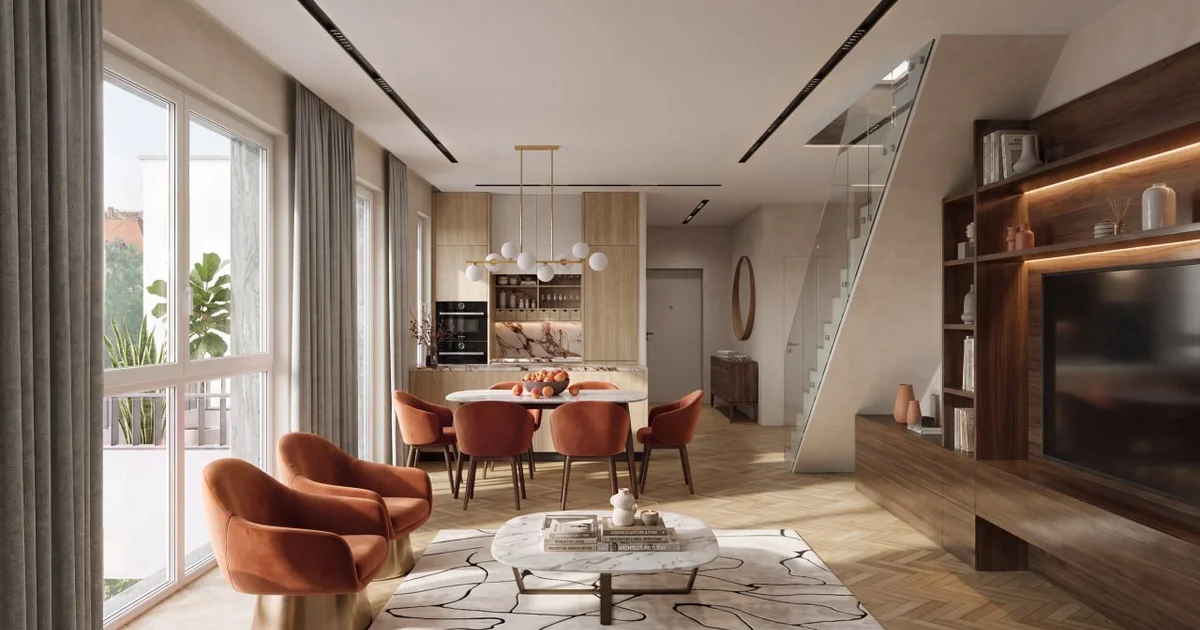
Architectural visualisation and whiteboxes
We build a model from your drawings and produce interior and exterior visualisations in 3ds Max and Corona. We develop furniture, finishes, lighting and camera views. We also prepare 2D plans, 3D whiteboxes, Blender models, Three.js scenes and animations for websites.
Archviz from your drawings, 2D plans and interactive scenes for your website.
Pricing
from ₽5,000
per project
This is the lower bound of a project. We scope the exact quote after a brief: it depends on volume and the number of integrations.
Capabilities
Full rendering in 3ds Max and Corona
We build the interior or exterior from your plans, elevations and specifications. We add furniture, equipment and agreed decor, set materials to a physical scale, and develop daylight and practical lighting. We produce test frames in Corona, then create the final images for your presentation, website or print after you approve the cameras and finishes.
2D plans for websites and print
We redraw your plan as an SVG with readable walls, openings and furniture symbols. We prepare versions with areas or without labels and agree the colour treatment for your website. You receive editable vector artwork and a PNG; print PDF requirements are agreed for the task. Floor areas come from your supplied schedule.
A 3D whitebox from your plan
We build walls, floors, ceilings, doors and windows. Finishes, kitchens and bathroom fittings follow the agreed scope. A whitebox presents apartment volume, lighting and materials with restrained furnishing. For a sales presentation, we prepare a top view, a cutaway or an interior view using an approved camera.
3ds Max and Blender
We work with new models and existing scenes. We retain scale, object structure, meaningful names and editability. In 3ds Max, we prepare architectural scenes and renders; in Blender, we can model, adjust geometry and prepare exports. We record the source file format and application versions in the project brief.
3D models for a website
We prepare a separate GLB or glTF model for the browser. We reduce polygon counts and check normals, materials, UV coordinates and texture sizes. We compare the export against the approved scene so doors, thin frames and finishes remain recognisable. Loading budgets are agreed using target devices and a test page.
Three.js scenes and animation
We build model rotation and zoom, 2D/3D switching, room entry points, material changes and time-of-day controls. We configure smooth camera transitions and scroll-driven animation. Visitors can look around the interior geometry. A separate panoramic 360° tour requires prepared panoramas and a different viewing workflow, which we scope before production.
Site plans and outdoor areas
We divide a site plan into buildings, roads, paths, parking and planted areas according to the brief. We inspect overlapping sectors, connect shared boundaries and check entrances. We preserve smooth contours, route centre lines and surface perimeters. A flat colour partition and a volumetric scene are estimated as distinct production stages.
Architectural visualisation
An interior render and five AI-generated concepts covering different rooms and an exterior. The concepts illustrate presentation options; visualisation of your property starts from your supplied drawings.
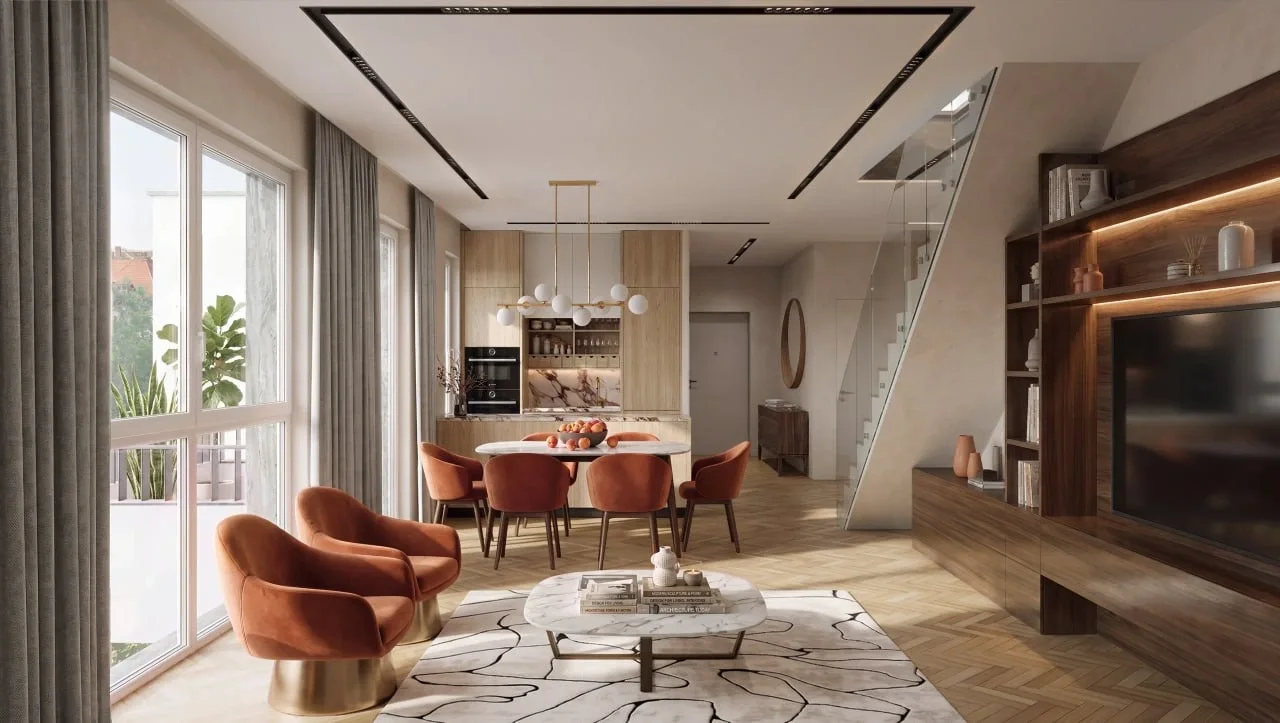
Living, kitchen and dining
A furnished interior with a kitchen, dining area and staircase. Daylight, warm timber and upholstery share one view.
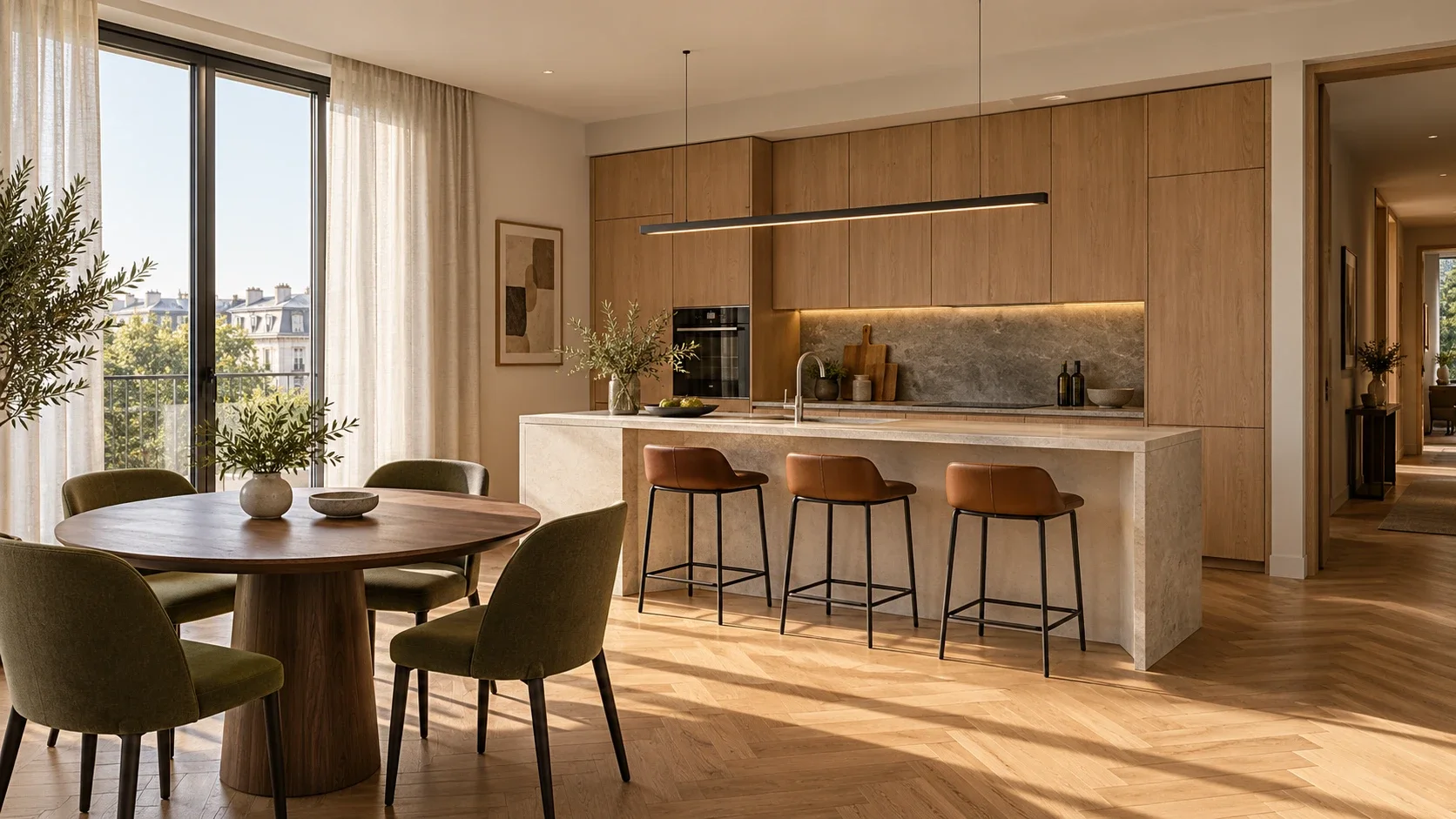
Concept · kitchen and dining
Oak cabinetry, a stone island and a dining area by the window. An example of a kitchen presented in daylight.
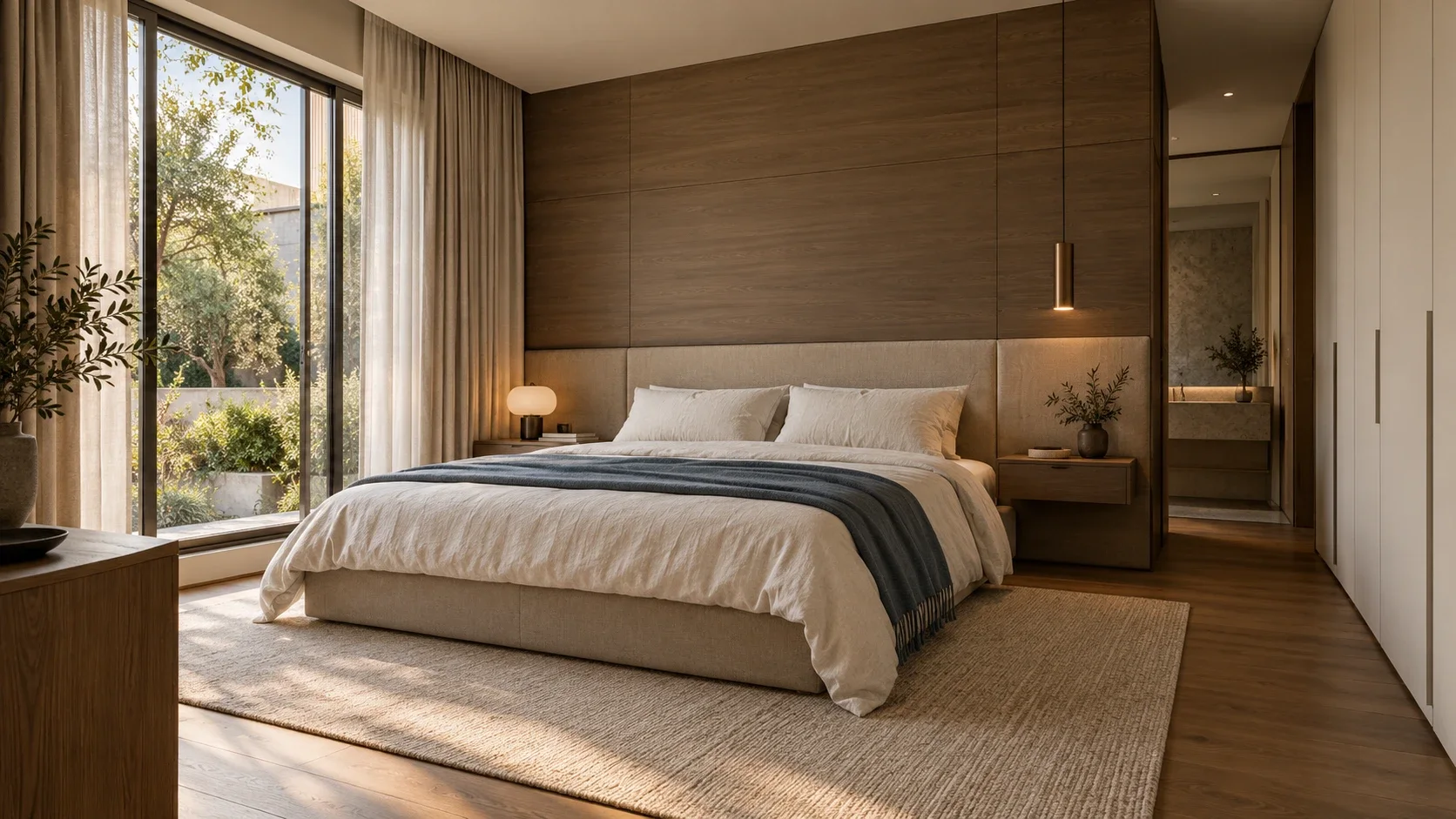
Concept · bedroom
A padded headboard, timber and layered textiles. Soft daylight keeps material detail visible in the shadows.
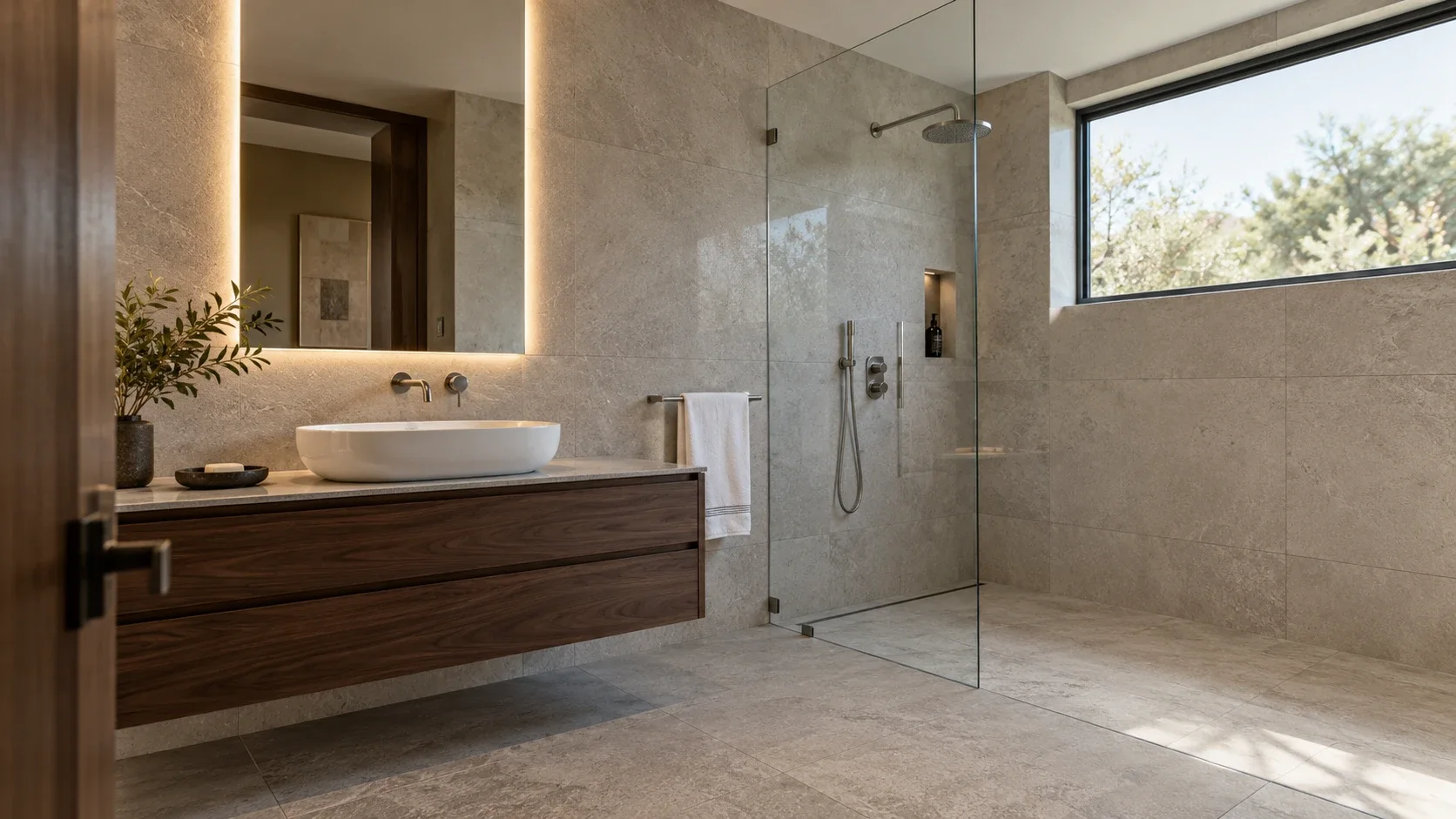
Concept · bathroom
Light stone, a walnut vanity and a clear shower screen. Materials are presented under soft, diffused daylight.
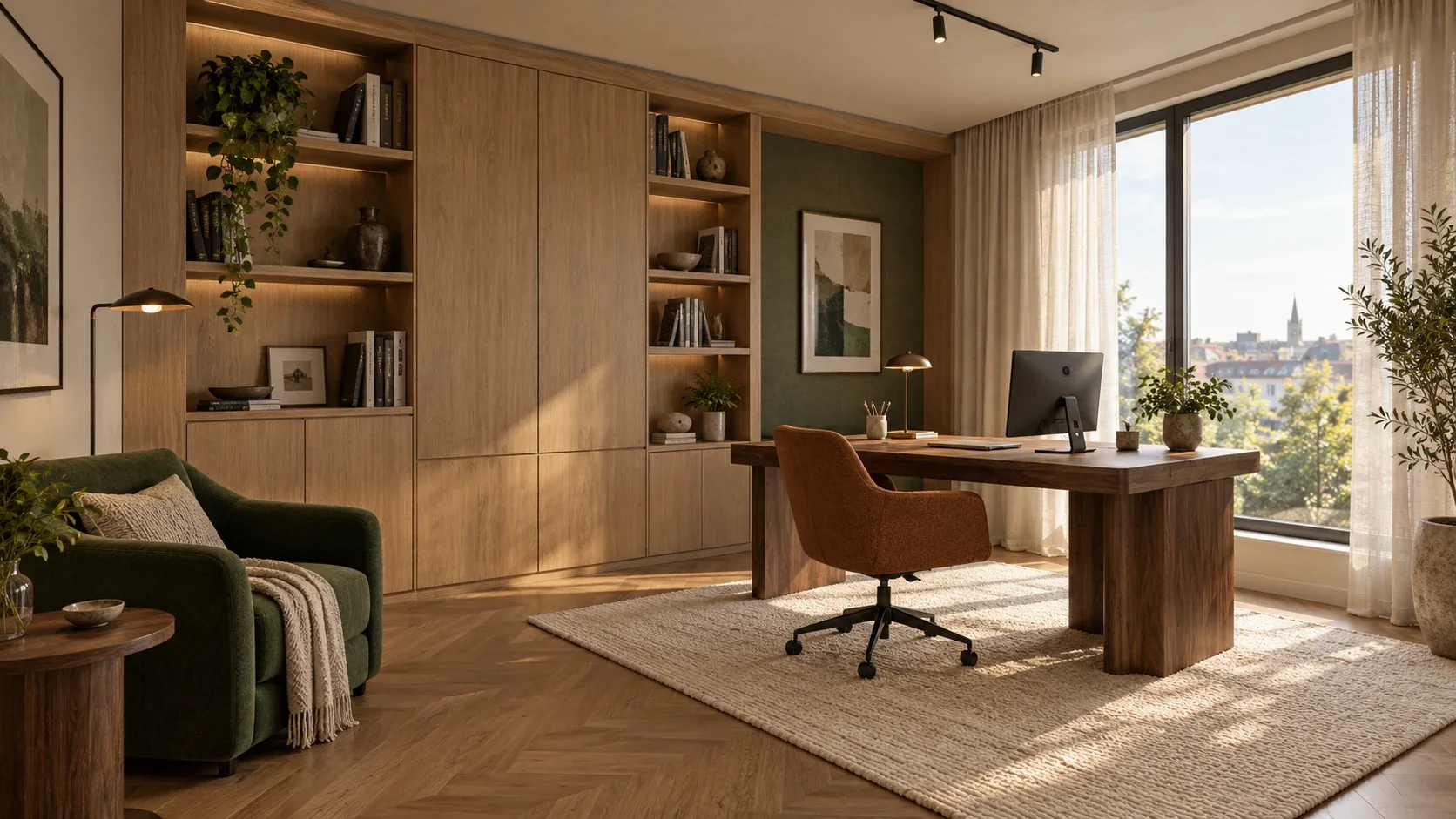
Concept · home study
A desk, built-in shelving and a reading chair. An example of a furnished residential workspace with natural light.
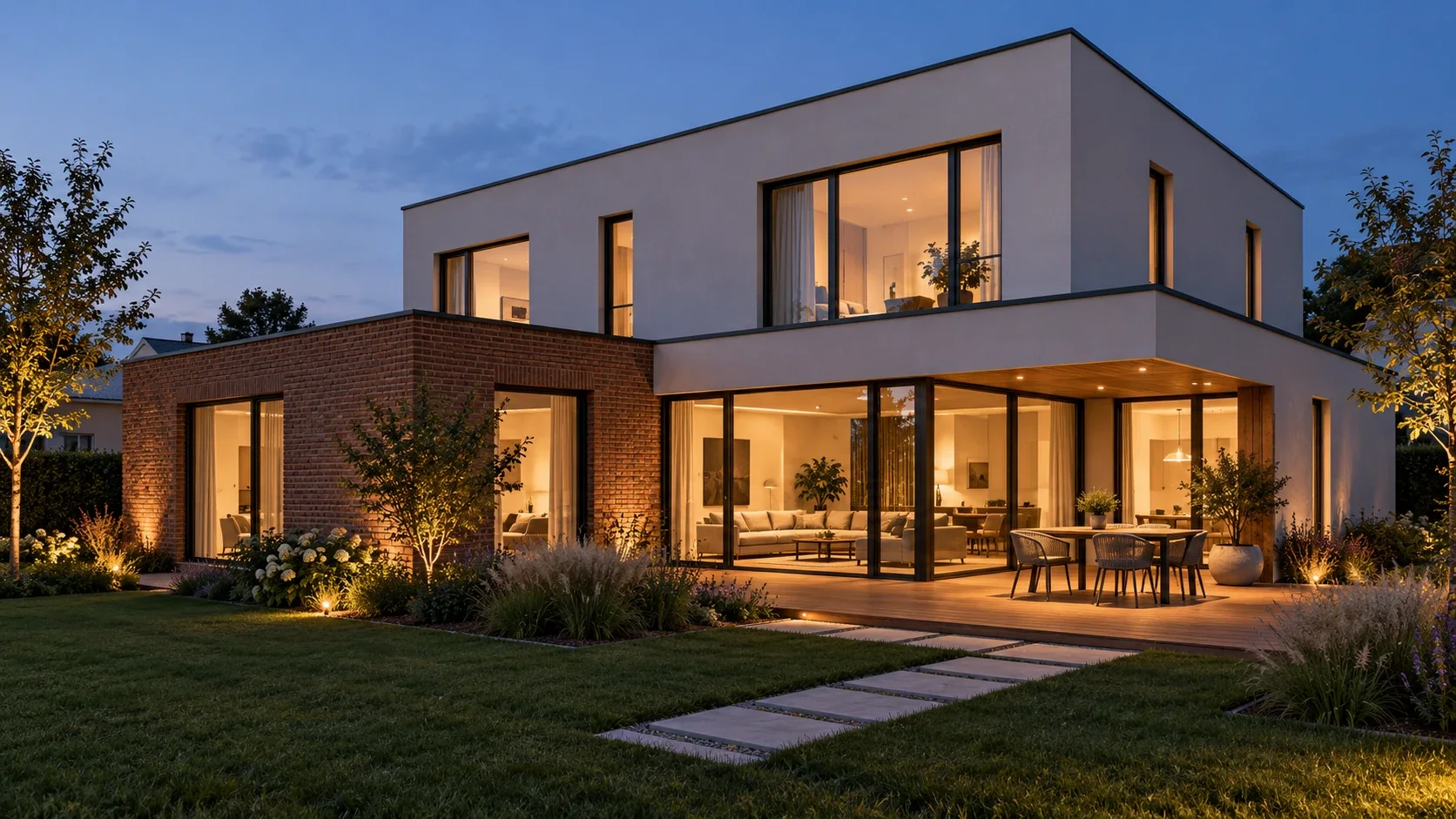
Concept · house with a terrace
An evening exterior with facade materials, glazing, a terrace and planting. Warm interior light connects the house and garden.
The plan and the space
Examples of a 2D plan, a 3D whitebox and interior visualisation. The plan and top view show one apartment; the interior views belong to another property.
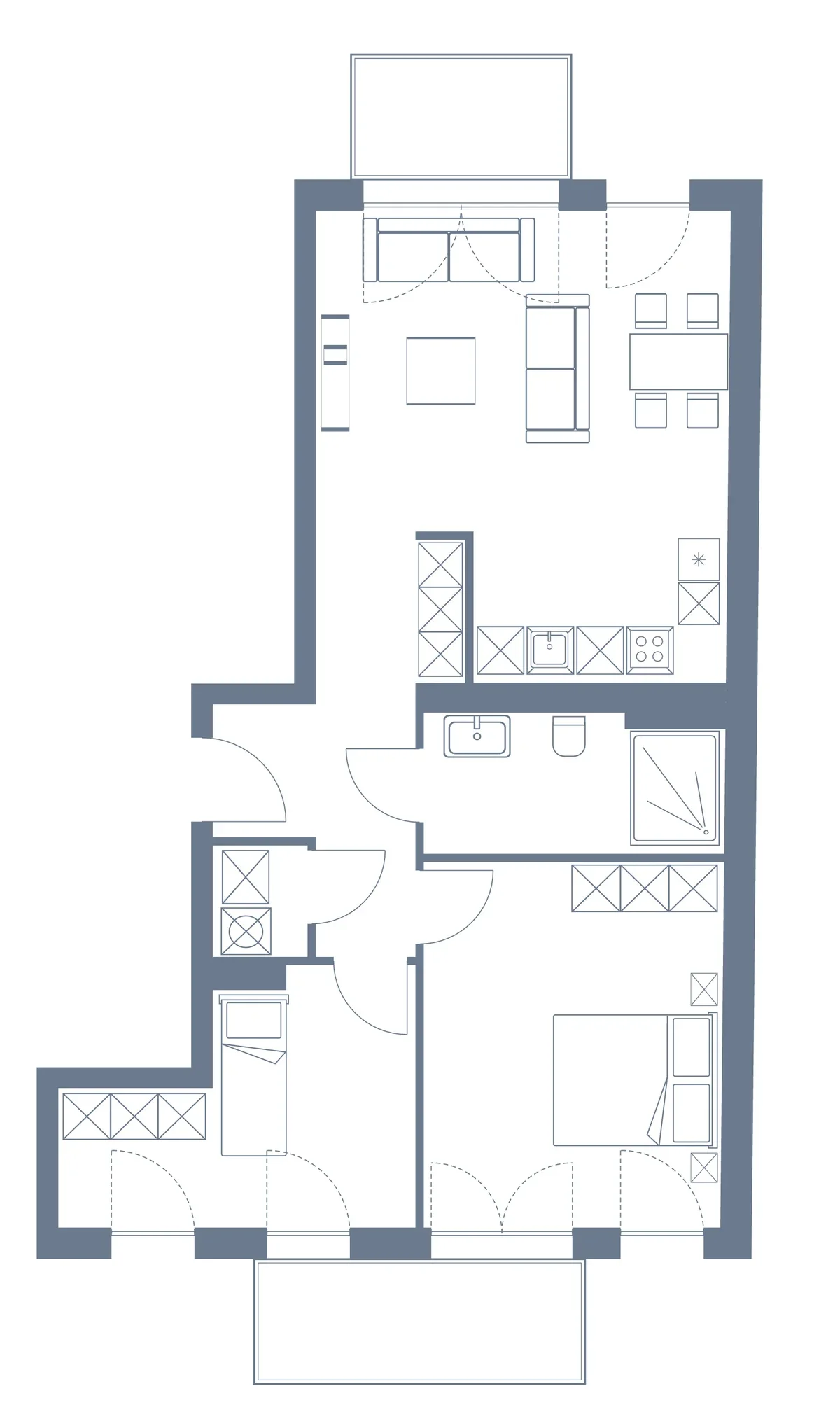
2D plan example
Vector presentation with furniture symbols, walls and opening directions. Furnishing helps communicate the layout.
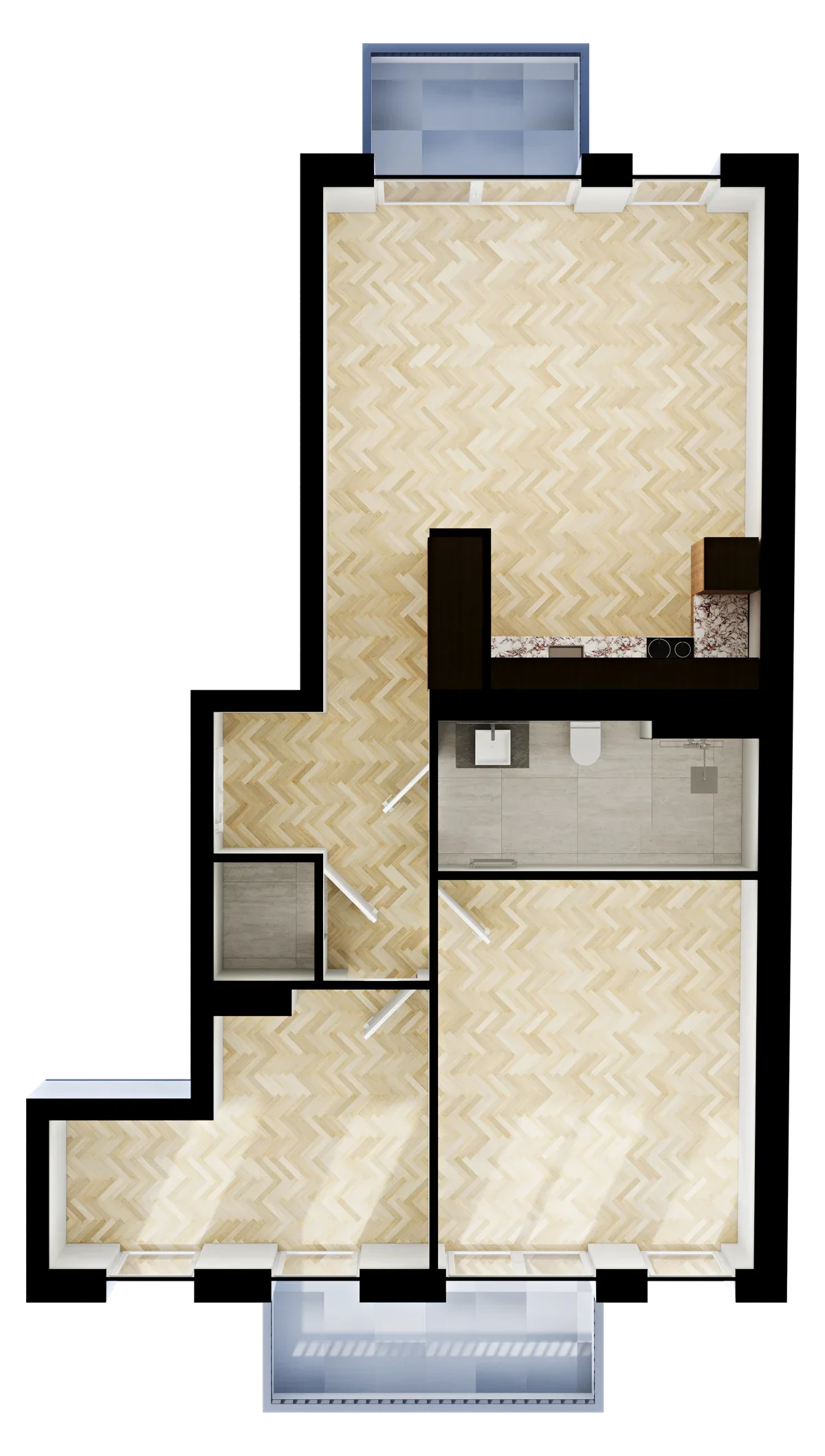
3D whitebox example
A top view with finishes, kitchen and bathroom fittings. The same apartment geometry presented with volume.
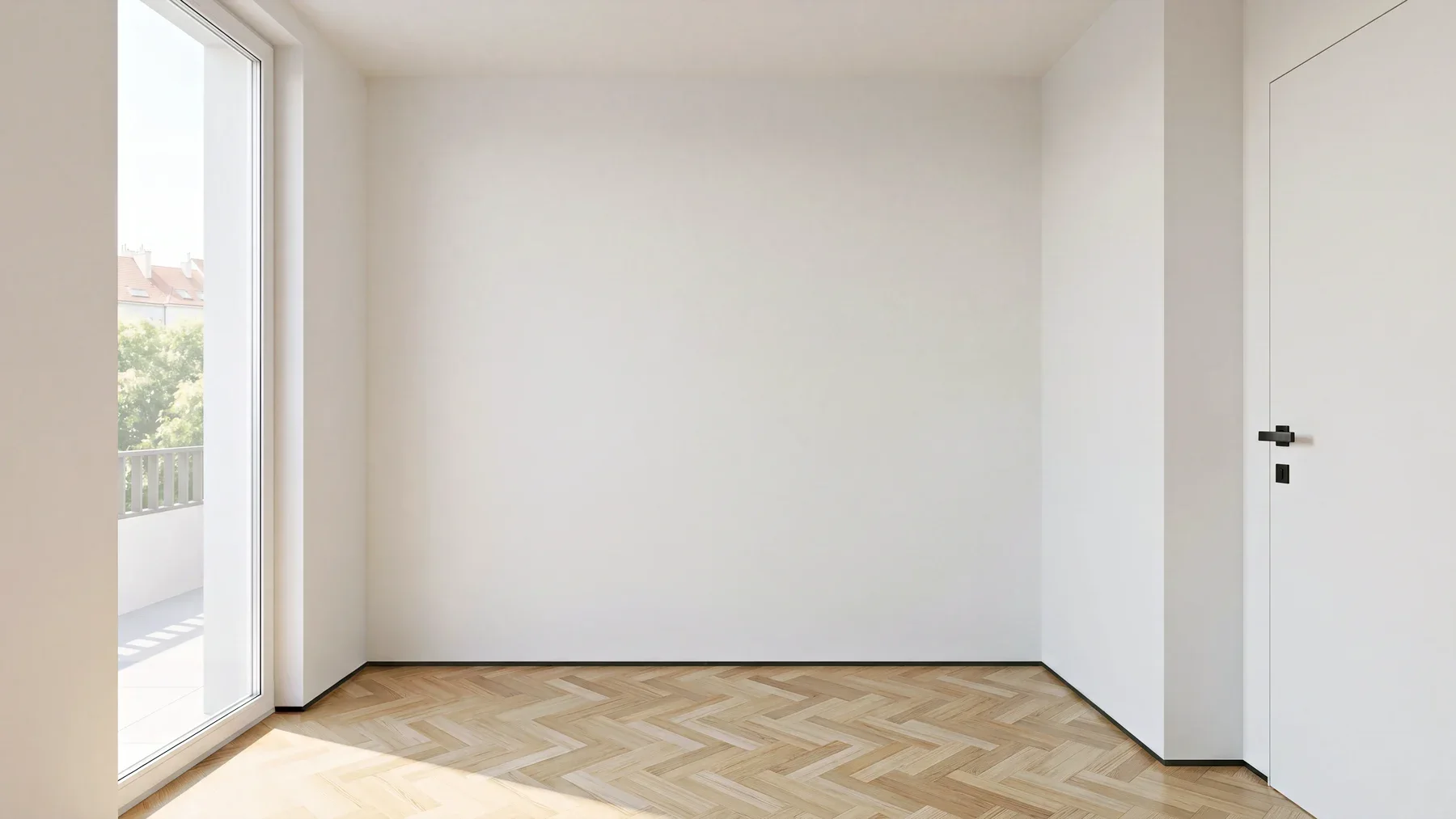
Interior example · child's room
An interior whitebox view with daylight, flooring, a window and a door.
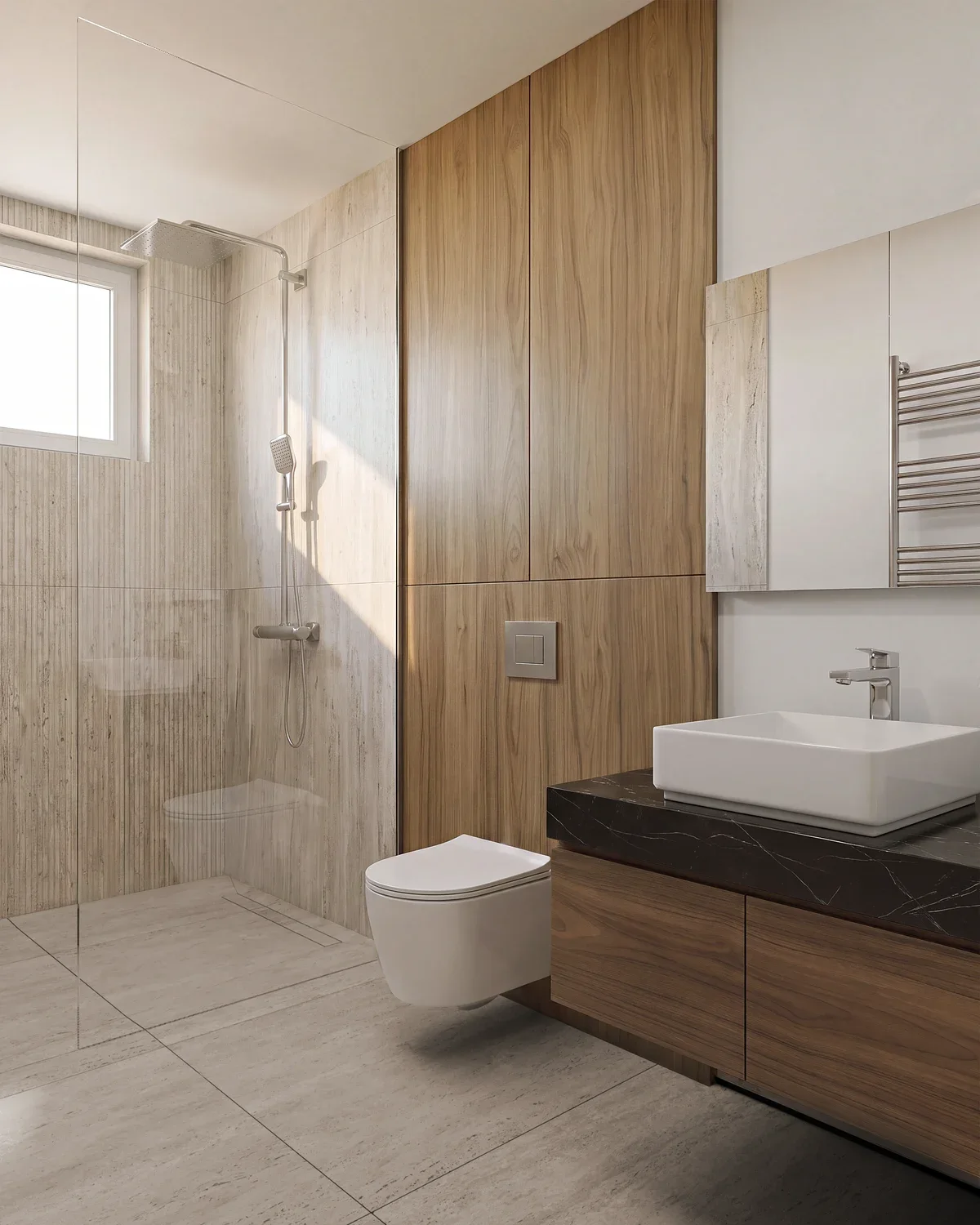
Interior example · bathroom
A shower, bathroom fittings and built-in storage. Stone, wood, glass and daylight in one interior scene.
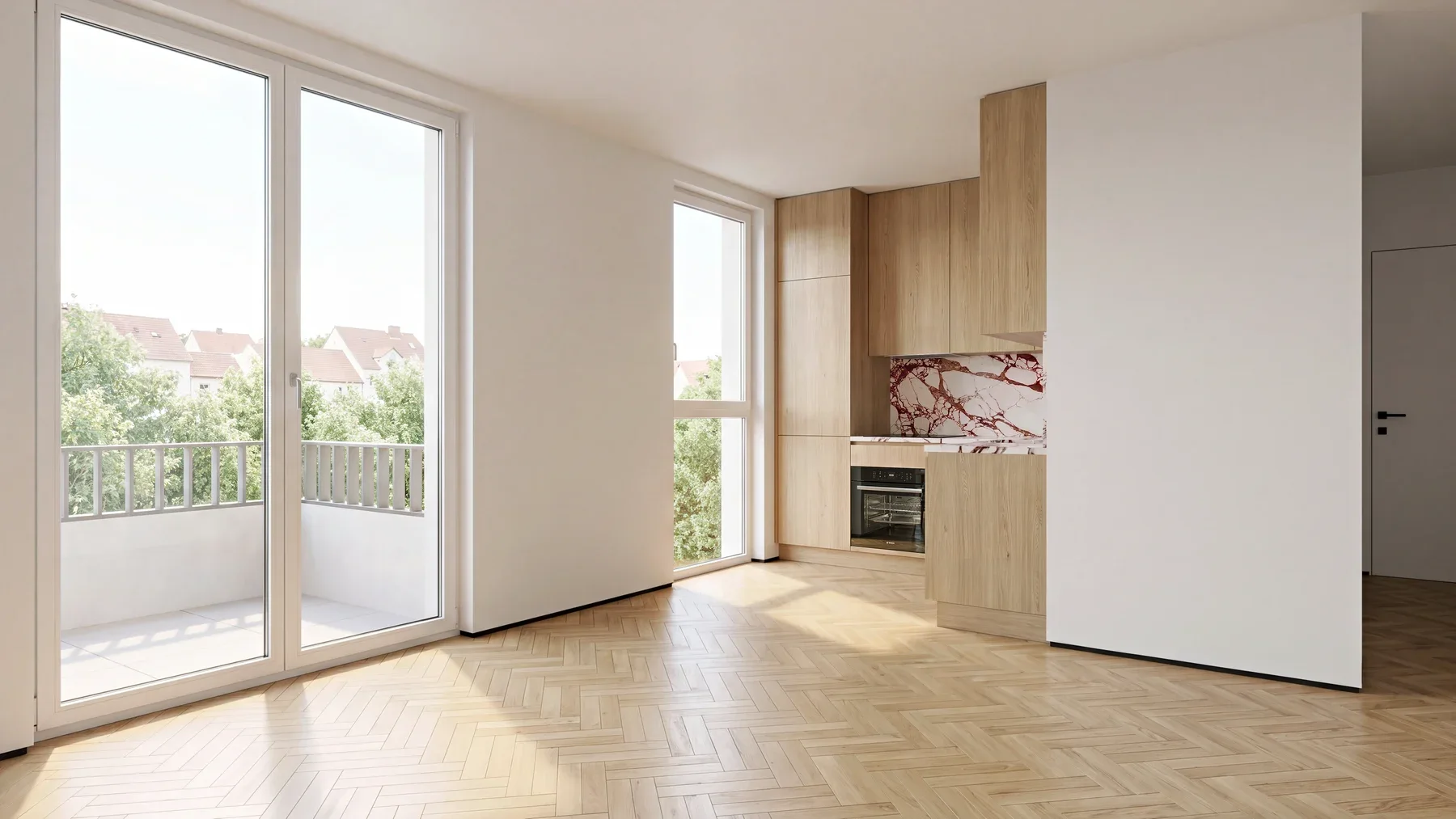
Interior example · living room
Finishes, glazing and a fitted kitchen in one lighting setup. An example of interior visualisation.
From request to result
1
Sources and scale
You provide DWG or PDF plans, elevations, heights, finish specifications, furniture references and examples of the intended presentation. We can also start from an existing scene. We record a reference dimension, units, orientation and the list of views. We list missing information as assumptions and agree it before modelling; an image without dimensions does not establish an exact scale.
2
Plan and geometry
We agree contours and openings before adding volume. For large drawings, we work in overlapping sectors; sector borders help review the drawing and do not divide final surfaces. We connect entrances to paths and recheck narrow passages. We follow the supplied layout rather than inventing a new architectural design.
3
Presentation and lighting
In 3ds Max, we assemble materials, furniture and lighting according to the agreed brief. We check UVs, texture scale, camera perspective and vertical lines. Corona test renders let you approve finishes and lighting before the final render. After approval, we produce a consistent set of views; 2D plans and whiteboxes retain their agreed level of detail.
4
Browser viewing
If you need a website, we prepare the export and a working Three.js scene. We check mouse and touch controls, return to overview, camera transitions and loading on a phone. We provide a static image for less capable devices and reduce animation for users who request less motion.
5
Comparison and handover
We overlay contours on the source plan and inspect enlarged details. We review final renders at 100% for joints, furniture intersections, noise, glass and reflections. We reopen the delivery scene with its texture maps, compare the 2D plan, 3D scene and export from the same revision, and hand over the agreed files with the assumptions list.
Check if it fits you
Good fit
Property sales
You are preparing a residential website, an apartment catalogue or a property presentation. You need coordinated 2D plans, images and several ways to view the same layout.
Designers, architects and web teams
You are reviewing an interior with a client, preparing a building presentation or bringing a model onto a website. We build the scene from your design, show the selected materials and prepare final images or a browser export for the agreed use.
Not a fit
Construction documents and surveying
A visualisation model does not replace a measured survey, engineering calculation or construction design. Architectural changes, structural decisions and regulatory checks belong to the appropriate project specialists.
What the delivery includes
Editable scene
We deliver the scene in the agreed MAX or BLEND format, required maps and an organised object structure for your team to continue working.
Plans and images
Plans are delivered as SVG and PNG, with images at the agreed resolution. We record top views, interior views and label variants separately.
Browser model
The browser model contains prepared GLB or glTF geometry and materials. An interactive commission also includes scene source code and integration instructions.
Comparison report
The comparison report records the scale source, accepted assumptions, reviewed areas and file versions so later changes start from the current scene.
Final interior and exterior renders
Final renders arrive as an agreed series of JPG or PNG images at the resolution required for your website, presentation or print. The brief records the frame count, daytime and evening variants, post-production and the source files included in delivery.
Checks before kickoff
Alignment with the plan
We check alignment through top overlays and enlarged details, including walls, doors, narrow passages, parking spaces and separate planted areas.
Connections and curves
We check path connections to entrances and other routes, smooth curves, shared surface boundaries and continuity across the sectors used for review.
Materials and lighting
We check materials at the intended texture scale and review lighting, glass and colour in saved images, including dark corners and thin details.
Export and controls
We open the export separately and compare it against the source scene. Controls are checked on a phone and computer, including transitions and camera reset.
Where the solution pushes back
- 01
Source accuracy
Accuracy depends on drawing readability and confirmed dimensions. We record approximate values separately; clearer source information can require a model revision.
- 02
Browser detail
We adapt detail to loading time and target devices. Thin elements stay where they affect the view, while texture sizes follow the viewing distance.
- 03
Scope and cost
Cost depends on floor area, distinct layouts, views and interaction scenarios. Library assets, licences, complex animation and integrations are agreed as separate items.
Technologies
The technologies we use in our work and their role in a project.
Modelling, rendering and interaction
We build the architectural scene in 3ds Max and render lighting, materials and final views in Corona. We use Blender for modelling and export preparation. Three.js runs the browser viewer, while GSAP controls camera motion. glTF transfers geometry and materials into the web scene.
Cost calculator
This is an indicative range, not a quote. We scope the exact estimate after a brief: it depends on volume and the number of integrations.
Delivery format
Additional layouts
One layout up to 80 m² is included. Add other layouts here. Larger areas, complex geometry and repeated apartments need a source review.Add-ons
Interior images
Service
Architectural visualisation and whiteboxes
The estimate covers our team's work. Hardware, third-party service licences and travel are added on request.
Estimated cost
₽25,000 – ₽40,000
Timeline
1–2 wk
Frequently asked questions
What do a 2D plan, whitebox and Three.js scene cost?
For one layout up to 80 square metres, the planning range is RUB 5,000–8,000 for 2D, RUB 25,000–40,000 for a 3D whitebox with a top view, and RUB 120,000–192,000 for a model with browser viewing. Two interior views add RUB 14,000–24,000 to the whitebox. These are initial labour estimates; complex properties require a source review.
What is included in a base whitebox?
One agreed layout up to 80 square metres, the architectural shell, openings, basic finishes, kitchen and bathroom fittings from your brief, one top view and the editable source scene. We review the effort for larger areas, complex geometry and custom equipment. The estimate includes two consolidated feedback rounds within the agreed scope.
How is an interactive 3D scene different from 360°?
A 3D scene displays geometry in real time, allowing camera position, materials and lighting to change. A panoramic tour connects prepared spherical images and usually limits the available viewpoints. Photorealistic 360° viewing needs separate panoramas. The examples on this page are static images, not a working tour. The architectural concept images are labelled separately.
Can I supply an existing MAX or BLEND file?
Yes. We first check the version, maps, plugins, units and scene structure. Moving between 3ds Max, Blender and the browser may require rebuilding materials and lighting. We agree which file remains the source and which is an export. For several similar apartments, we assess geometry reuse separately rather than assuming every layout needs the same effort.
How are animation and site plans estimated?
For the web scene, the calculator adds room transitions, material switching and one short camera animation sequence separately. We agree duration, scene count and the storyboard before production. Site plans, large outdoor areas, complex configurators and CRM connections receive an individual estimate: the apartment calculator is not intended to price those tasks.
What do you need for full archviz, and how is it priced?
Send a dimensioned plan, heights and elevations, finish specifications, furniture selections and the views you need. We use these to estimate modelling, materials, lighting and final rendering in 3ds Max and Corona. Cost depends on floor area, source readiness, custom furniture and image count. The calculator on this page covers 2D plans, whiteboxes and browser models; furnished interiors and exteriors receive a separate estimate after we review the brief.
What teams add to this service
Related Services
Part of Solutions
Implementation Examples
+20%
Apartment sales growth
Ready to discuss your task?
Leave a request – we'll get back with a proposal and a preliminary estimate.
Contact us