 Login AI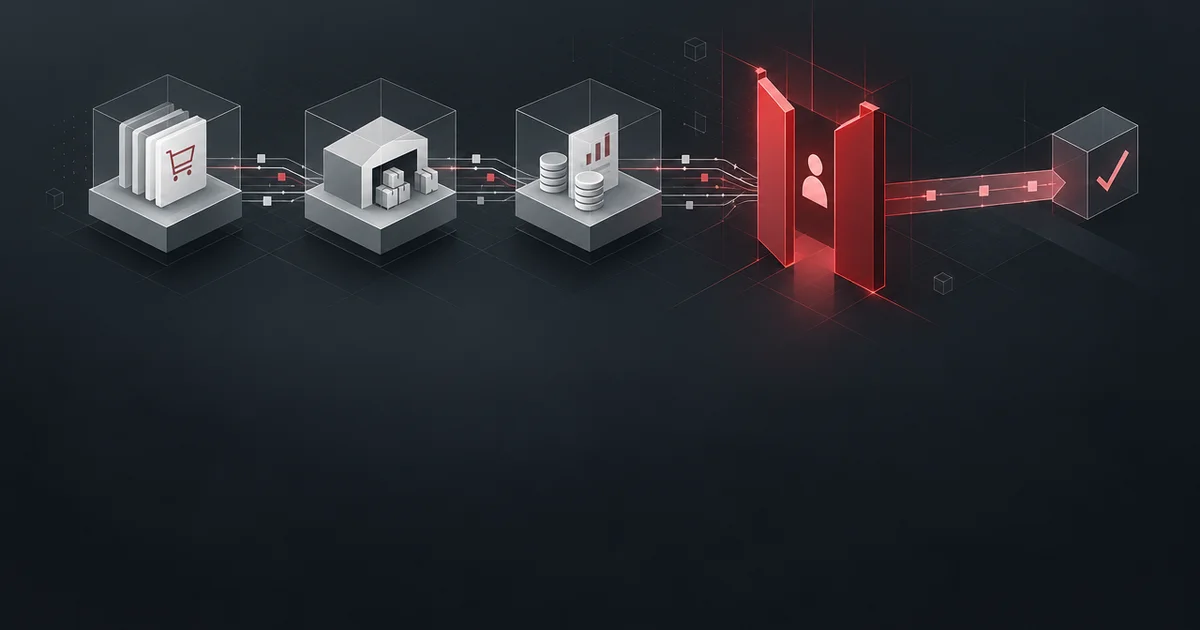
Integrating AI agents with ERP systems
We connect AI agents to your ERP: the agent answers requests about orders, stock, and invoices, prepares documents and requests, and irreversible operations require human confirmation.
The agent reads orders, stock, and finance in the ERP and prepares operations a person only confirms.
Pricing
from ₽1,500,000
per project
This is the lower bound of a project. We scope the exact quote after a brief: it depends on volume and the number of integrations.
Capabilities
Answers from ERP data
The agent answers questions about orders, stock, and invoices straight from the accounting system, with a document link.
Document drafts
The agent prepares an invoice, a purchase request, or a reconciliation act and puts the draft up for approval.
Stock control
The agent warns about shortages and overdue deliveries before they stop sales.
Rights and audit log
Every agent action is logged, and rights are limited by role and a dedicated account with no extra access.
From request to result
1
ERP audit
We break down modules, documents, and rights: what data the agent can reach and which operations are irreversible.
2
Data model and rights
We fix the mapping of ERP entities to the agent and the rights of its accounts.
3
Integration and scenarios
We connect to the API, build data reads and document preparation, and set up the action log.
4
Pilot on one process
Three weeks on one process: we measure the share of documents prepared without a person and the number of edits.
Check if it fits you
Good fit
An ERP with an open API
1С, SAP, or Dynamics expose data via an API: the agent connects with no workaround exports.
Clean accounting
Reference data and filling rules are defined: the agent's answers rest on them, not on guesses.
Not a fit
Scattered data
If one order lives in three unconnected systems, we put the data in order first.
Postings without confirmation
The agent does not post irreversible financial operations itself; an authorized employee closes them.
What you get
−30%
time spent preparing documents
The agent answered stock queries and prepared purchase requests; managers stopped gathering data by hand from three reports.
What the delivery includes
Stock with a batch link
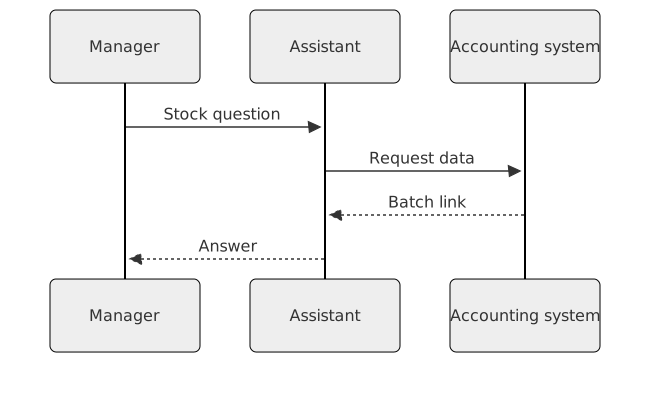
A manager asks about stock and gets an answer from the accounting system with a batch link. Exporting reports and checking rows by hand stay in the past.
A purchase request draft
A purchase request is assembled from sales and stock data: the agent prepares a draft with quantity and supplier. A person checks and confirms.
Shortages ahead of the report
Overdue deliveries and shortages show ahead of the report: a warning arrives on the event. Reaction happens in the same week the gap appears.
A trace for every action
Every agent action leaves a trace: the log shows what it read, what it prepared, and on what basis.
A document-flow audit
A document-flow audit shows which operations the agent reads and which it only prepares. The responsibility boundary is fixed before the start.
Entity mapping
Orders, stock, and invoices are tied to the accounting system and roles. Entity mapping fixes the links before the rules are written.
A pilot on one process
The pilot runs on one process: we measure the share of documents without edits and the number of manual confirmations. The result shows readiness to expand.
How the system is built
A query to the accounting system
A manager asks about stock and gets an answer from the accounting system with a batch link, right in the dialog, so the data arrives the moment the question comes up.
A document draft
A purchase request is assembled from sales and stock data: the agent prepares a draft with quantity and supplier, and a person checks the document before posting.
Confirmation by a person
A person runs irreversible operations: the agent prepares the document, and the decision and posting stay with the employee, so responsibility sits with the process owner.
A trace in the log
Every agent action leaves a trace: the log shows what it read, what it prepared, and on what basis, so the result can be checked at any moment.


Where the solution pushes back
- 01
Irreversible operations stay with a person
The ERP is the system of record, so irreversible operations stay with a person. The agent prepares the document; a person decides.
- 02
Depends on reference data
Answer quality depends on clean reference data: the agent flags duplicate counterparties and mismatched units for a person.
- 03
Legacy without an API
Integrating with a legacy loop without an API becomes a separate project around access and exports.
- 04
Cost grows with the module count
The more modules in the loop, the more expensive the maintenance: every data source needs its own mapping, so we fix the scope before the start.
Technologies
The technologies we use in our work and their role in a project.
ERP and data exchange
The agent works with 1С, SAP, and Microsoft Dynamics through their APIs. Exchange runs through Kafka, and an analytical snapshot is stored in PostgreSQL.
Cost calculator
This is an indicative range, not a quote. We scope the exact estimate after a brief: it depends on volume and the number of integrations.
Modules
Sync mode
Data migration
Add-ons
Support
Year one: updates and monitoring, a reply within 2 business days.
Service
Integrating AI agents with ERP systems
The estimate covers our team's work. Hardware, third-party service licences and travel are added on request.
Estimated cost
₽2.1M
Timeline
5 wk
Frequently asked questions
Does the agent post documents?
No. It prepares a draft and attaches the basis; posting is confirmed by an employee with signing rights.
How fresh is the data?
The agent reads the ERP through the API at request time; the cache only holds reference data and updates on events.
What about access to finance?
We grant rights by role: financial data is open only to the accounts already available to employees.
How long does the rollout take?
A pilot on one process takes three weeks; a full launch starts at eight weeks.
What if the ERP is upgraded and the API changes?
The mapping and connectors are code, so we test the upgrade on staging and fix it in one place instead of every scenario.
Who maintains the loop after launch?
Your team runs the setup and the log; we hand over the documentation and connectors. Support can stay with us under a separate agreement.
What teams add to this service
Related Services
Part of Solutions
Implementation Examples
−90%
Discrepancies in reports
Ready to discuss your task?
Leave a request – we'll get back with a proposal and a preliminary estimate.
Contact us